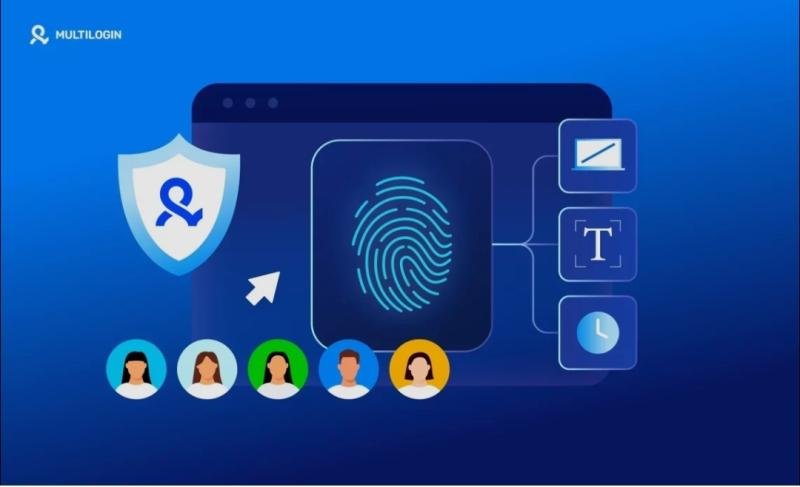
Running multiple online accounts requires careful management of browser environments. Platforms increasingly rely on fingerprinting technology to detect whether accounts originate from the same device. Without proper separation, accounts can easily be linked and flagged by automated security systems.
To avoid these risks, many professionals manage multiple browser profiles with different fingerprint sets. Tools such as an anti-detection browser help create isolated environments that appear as independent devices. While Dolphin Anty is a well-known tool in this space, some teams still look for a Dolphin Anty alternative https://hidemyacc.com/alternatives/dolphin-anty-alternative?utm_source=gp&utm_medium=site6 that better fits their workflow, pricing, or scalability requirements
1. Why browser fingerprints matters
Modern websites rely on fingerprinting technologies to detect patterns in user behavior. Instead of relying only on cookies, platforms analyze device characteristics to identify users across sessions.
When multiple accounts share the same browser environment, platforms may link them together. This increases the likelihood of verification checks, account restrictions, or permanent bans. Usually, professional uses an anti-detect browser https://hidemyacc.com/?utm_source=gp&utm_medium=site6 to manage their browser fingerprint
Using different browser fingerprints helps prevent this problem by ensuring each account appears to originate from a different device.
1.1. Common fingerprint data points
A browser fingerprint is created by combining multiple technical characteristics collected from a user’s device and browser environment. These attributes allow websites to recognize devices even when cookies are deleted or tracking protection is enabled.
Most fingerprinting systems rely on a combination of software, hardware, and browser configuration signals.
Common fingerprint data points include:
User agent: identifies the browser type, version, and operating system.
Operating system and device type: distinguishes between Windows, macOS, Linux, Android, or iOS devices.
Screen resolution and color depth: reveals the display configuration of the device.
Installed fonts and plugins: lists available fonts and browser extensions that can help differentiate users.
Canvas and WebGL rendering data: graphical rendering results that vary depending on GPU and driver settings.
Time zone and language settings: shows regional configuration of the browser environment.
Individually, these signals are not unique. However, when combined they create a distinctive browser identity that platforms can use to track users across sessions.
1.2. Risks when fingerprints overlap
When multiple accounts share similar browser fingerprints, platform security systems may identify patterns that suggest the accounts are operated from the same device. Many online services use these signals as part of their fraud detection and account integrity systems.
If several accounts appear to originate from identical or highly similar environments, platforms may flag them for further verification.
This can lead to several operational risks:
Account linking: platforms may associate multiple accounts with the same operator.
Frequent verification checks: users may be asked to complete additional identity or security confirmations.
Account restrictions: advertising or marketplace accounts may face temporary limits or suspensions.
Workflow disruptions: campaigns or account activities may be interrupted while issues are investigated.
For teams managing multiple accounts, preventing fingerprint overlap is therefore critical. Maintaining separate browser profiles with distinct fingerprint configurations helps ensure that each account appears to originate from a different device environment.
2. Strategies for managing multiple browser profiles with different browser fingerprints on Hidemyacc
Managing multiple browser profiles effectively requires more than just launching different windows; it demands a structured approach to maintain data isolation and account stability. To achieve this, tools like Hidemyacc have become essential. In addition, new users can use the code HMANEWUSER to get 10% off their first payment.
2.1. Creating fingerprint sets
The first step is creating a browser profile inside Hidemyacc. Each profile acts as an independent browsing environment with its own fingerprint configuration and storage.
To create a profile:
Click New Profile
Enter a profile name for easier identification
This step generates a new browser environment that can later be customized with fingerprint parameters.
2.2. Configure browser fingerprint settings
Before creating the profile, configure the fingerprint attributes that define the device identity. Hidemyacc allows users to control multiple parameters to simulate different devices.
Common settings include:
User agent, browser version, operating system configuration
Screen resolution, device and language settings
Time zone
Canvas and WebGL fingerprint behavior
Proper configuration ensures the browser profile appears consistent and realistic to detection systems.
2.3. Assign a proxy to the profile
A proxy provides the network identity for the browser profile. Assigning a dedicated proxy helps ensure that each account operates from a different IP address. Note that Hidemyacc does not change your IP, Hidemyacc does provide some free proxies but you should use your own proxy.
If you don’t have a proxy or don’t want to use one, you can skip to the next part.
To add a proxy:
Select the proxy configuration section and enter proxy credentials or connection details
Test the proxy connection
Using a stable proxy improves the reliability of the browser profile and reduces the risk of account linking.
2.4. Launch and test the browser profile
Press create and before using the profile with real accounts, it is important to test whether the fingerprint and proxy configuration are working correctly.
During testing, users typically:
Launch the browser profile
Verify the IP address and location
Check fingerprint attributes on testing websites
Confirm that browser settings match the expected configuration
Testing helps ensure that the profile behaves like an independent device before it is used for account management.
4. How to check if your fingerprint is unique
After creating a browser profile, you should verify whether the fingerprint appears unique and consistent. Fingerprint testing websites simulate how platforms collect browser signals and show how your environment appears to detection systems.
These tools analyze multiple fingerprint attributes, including user agent, canvas rendering, WebGL data, fonts, screen resolution, and other browser characteristics. Running a test helps confirm that your browser profile behaves like an independent device.
Some commonly used fingerprint testing websites include:
ipfighter.com: checks browser fingerprint signals and verifies IP configuration.
pixelscan.net: analyzes fingerprint consistency and detects potential mismatches between browser settings and network data.
browserleaks.com: provides detailed reports on browser attributes such as WebRTC, canvas, WebGL, and other fingerprint-related data.
Running these tests before using a profile with real accounts helps ensure the fingerprint configuration is realistic and consistent.
5. Conclusion
Browser fingerprinting has become a core technology for tracking users and detecting suspicious activity online. For marketers managing multiple accounts, this creates a need for reliable browser fingerprint management.
Tools such as an anti-detection browser help create isolated browsing environments that prevent platforms from linking accounts through shared device fingerprints. While Dolphin Anty remains a popular option, some businesses still evaluate a Dolphin Anty alternative to match their pricing, workflow, or scalability requirements.
P.O Bagarji Town Bagarji Village Ghumra Thesil New Sukkur District Sukkur Province Sindh Pakistan 65200.
Wiki Blogs News always keeps careful online users to provide purposeful information and to keep belief to provide solution based information.
This release was published on openPR.